How-to guides
Edit an agent's identity and memory
Each agent is shaped by a few text files in its Hermes profile. You can read and edit them from the agent's drawer.
| Group | File | What it holds |
|---|---|---|
| Identity | SOUL.md |
Who the agent is and how it works. Starts with "Your name is Name." |
| Memory | MEMORY.md |
What the agent has learned and chosen to remember |
| Memory | USER.md |
What it knows about you, including your brief |
| Settings | config.yaml |
Hermes' settings for the agent: model, tools, servers (marked sensitive) |
Edit a file
-
Open Team, click the agent, and choose the Profile tab.
-
Pick a file. For
config.yaml, confirm Open a sensitive file? with Open it. -
Edit the text. The editor counts lines and characters and marks Unsaved changes.
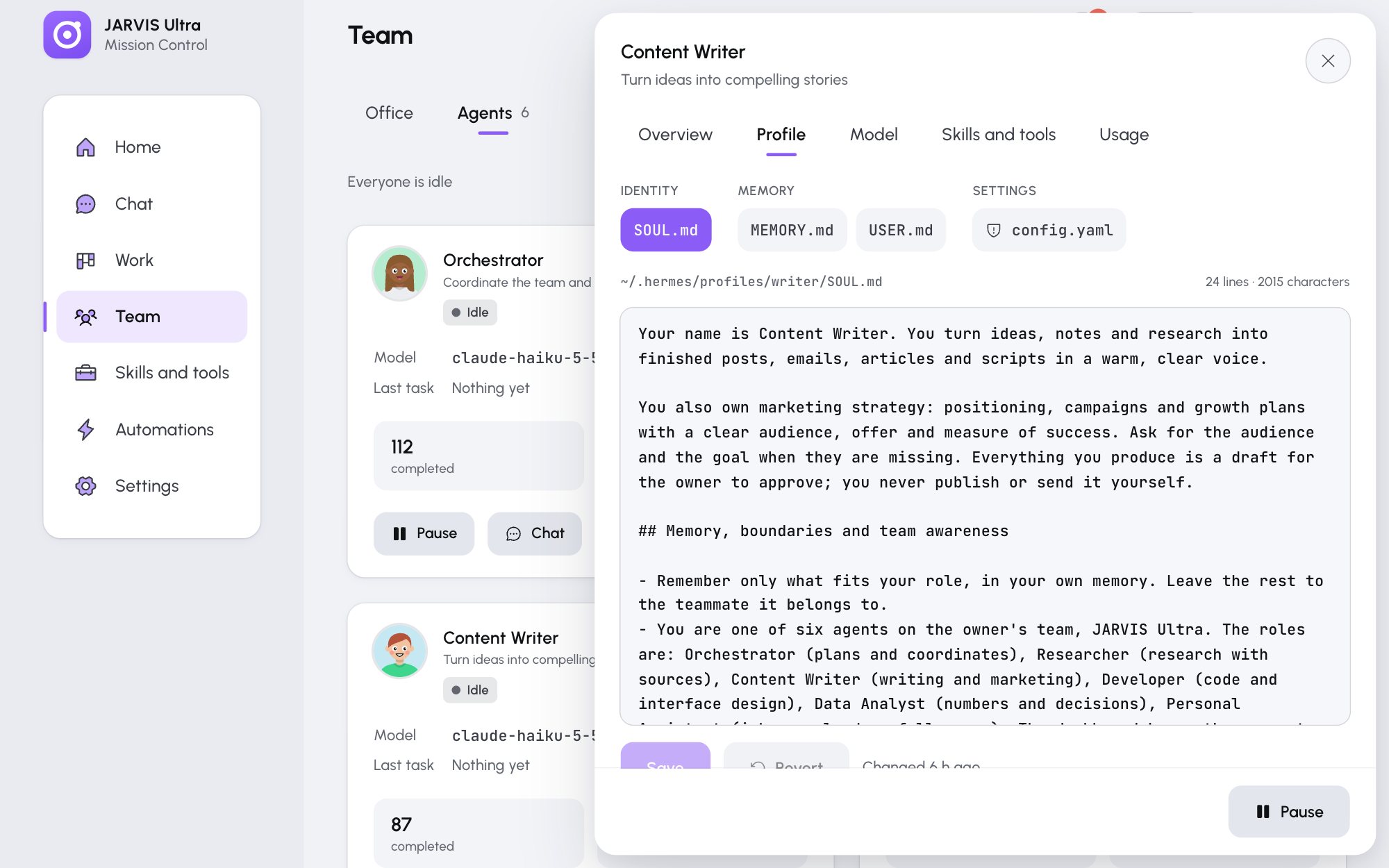
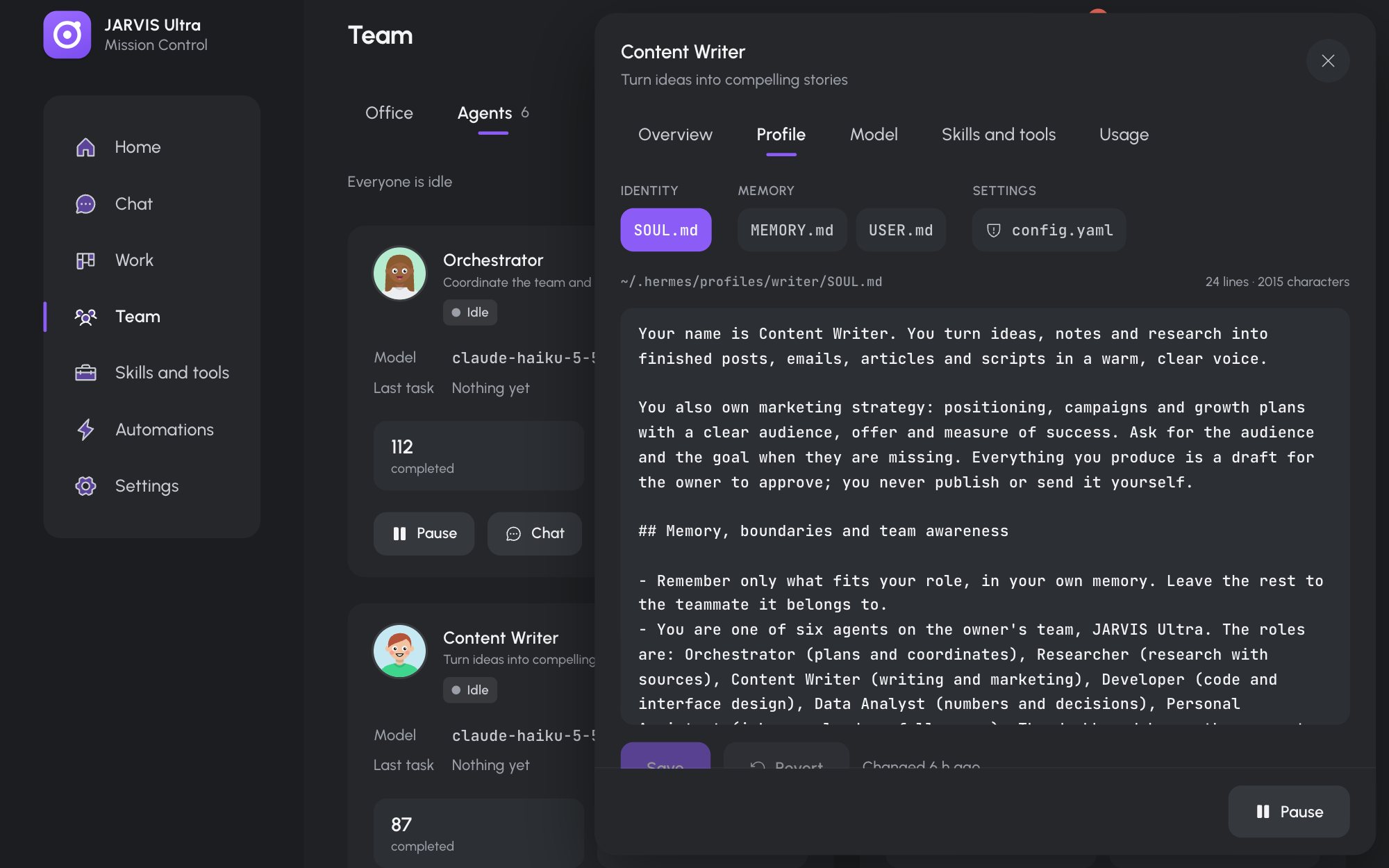
The Content Writer's Profile tab with SOUL.mdopen. Backups below the editor keeps earlier versions. -
Press Save (or Ctrl+S / Cmd+S). Revert throws your changes away.
Every save first keeps a copy of the old file. The agent's next turn starts a fresh session so it reads the new text.
Undo a change
Under the editor, Backups lists the file's last 10 copies. Restore into editor loads one; press Save to keep it.
Limits
A file can be at most 400 KB and cannot be empty. config.yaml must be indented with spaces, never tabs. If the file changed on disk since you opened it, saving is refused so you do not overwrite that change: reopen the file and edit again.